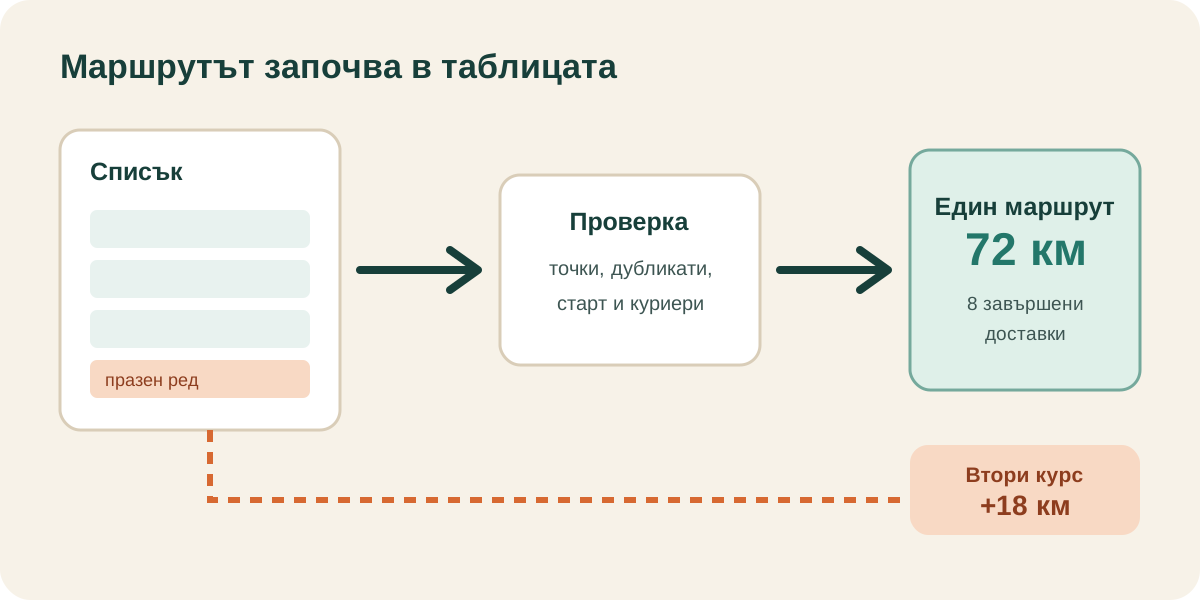
A delivery that never enters the route can be the most expensive row in the spreadsheet. If the omission is discovered after dispatch, one address may require another journey, another loading cycle and another slice of the working day.
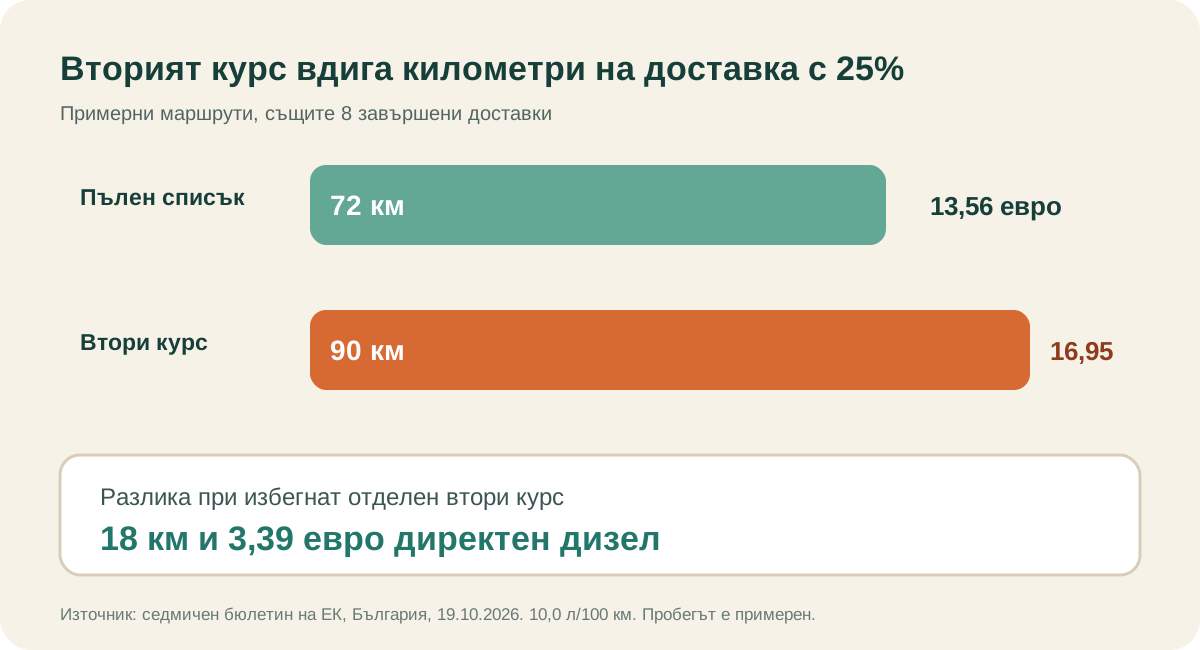
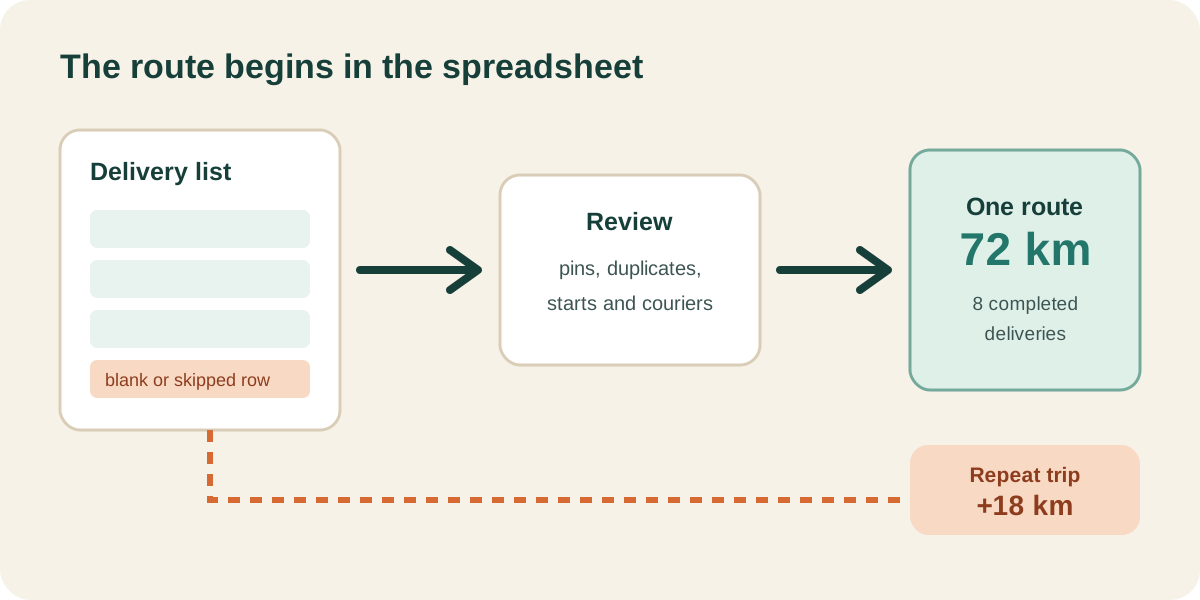
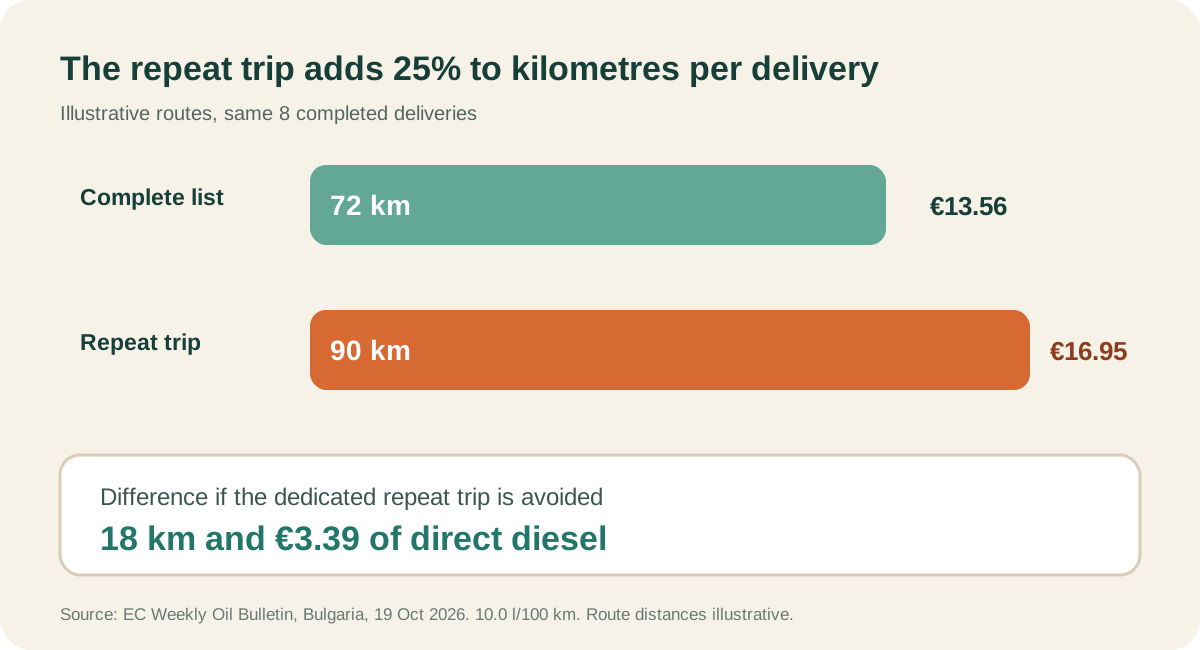
In the transparent example below, one missed delivery adds a dedicated 18 km repeat trip. Diesel alone rises by €3.39. Kilometres per completed delivery rise by 25%, even though the company finishes the same eight jobs.
The route begins before the optimizer
Route software can work only with the jobs and constraints it receives. Google's official Route Optimization overview describes a general planning model built from shipment locations, service durations and loads, plus vehicle starts, ends, capacity, time constraints and cost parameters. That list is useful as a dispatch checklist. It does not mean that MileCut uses Google's Route Optimization API.
For a small delivery business, the practical lesson is simple. The address list is operating data. Missing locations, duplicate rows, ambiguous building numbers and unrecorded promises can change the route before anyone touches the map.
The same eight deliveries can use 72 km or 90 km
Start with a complete list of eight deliveries. The illustrative planned route is 72 km. Now remove one row from the dispatch list. The first run completes seven deliveries, and the omitted order later needs a dedicated 18 km trip. Total distance becomes 90 km for the same eight completed deliveries.
| Measure | Complete list | Skipped row plus repeat trip | Change |
|---|---|---|---|
| Completed deliveries | 8 | 8 | Same work |
| Total distance | 72 km | 90 km | +18 km |
| Km per completed delivery | 9.00 | 11.25 | +25% |
| Direct diesel | €13.56 | €16.95 | +€3.39 |
One extra kilometre costs €0.188 in diesel today
The European Commission bulletin published on 22 October reports tax-inclusive Bulgarian automotive diesel at €1.8837 per litre for the 19 October observation. With illustrative consumption of 10.0 l/100 km:
fuel per km = 10.0 ÷ 100 × €1.8837 = €0.18837
Call €3.39 a saving only if the company genuinely avoids the 18 km journey and still completes all eight deliveries. Labour, tyres, maintenance, depreciation and administration may also change, but they belong in the saving only when the company's records show that they fell.
Seven checks, with a purpose for every one
- Keep one delivery per row. Merged cells and notes between jobs make omissions harder to spot.
- Complete the address column. Include city, street and building number. A postcode helps when names repeat.
- Give every stop a unique reference. Use an order number or customer reference so the dispatch list and completed work can be reconciled.
- Check duplicates, blank rows and cancellations. Count accepted, skipped and excluded records before assigning routes.
- Set the correct starts, ends and courier count. These are planner settings rather than spreadsheet fields, but they change the distance.
- Review the constraints MileCut does not enforce. Check payload, service time, priority, promised windows, access and loading order in the company's dispatch process.
- Record the result. Add completed, failed, actual kilometres and a failure reason after the run. That turns tomorrow's planning into a measurable process.
A denser route lowers the cost per completed delivery
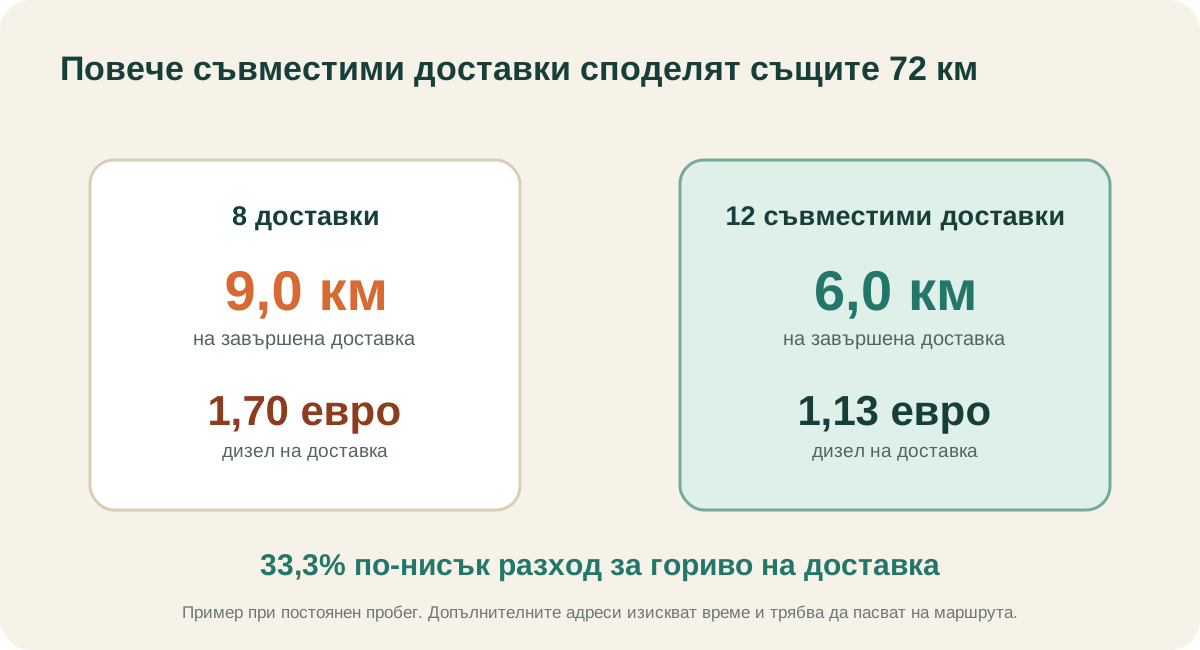
The 72 km route costs €13.56 in diesel. Eight completed deliveries share €1.70 each. If four more compatible deliveries fit the same corridor without adding distance, twelve completions share €1.13 each. That is 33.3% less diesel per completed delivery.
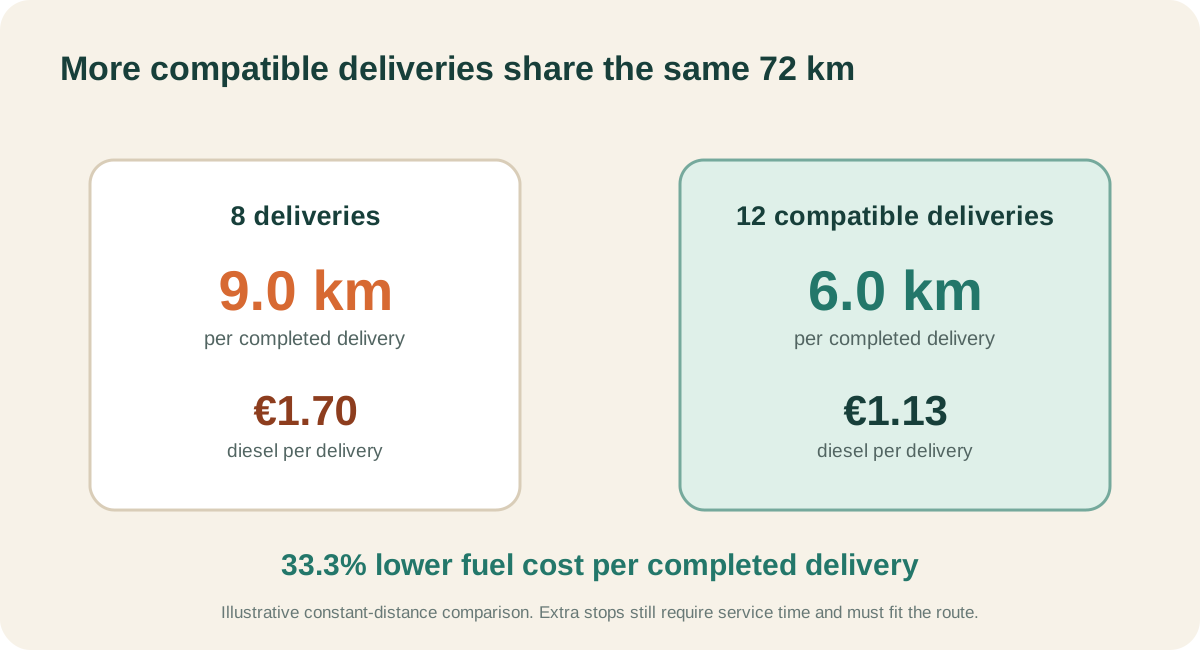
The four extra stops still require service time. A denser plan improves unit economics when the orders fit the route and the owner measures completed work, distance and time together.
Where MileCut fits
MileCut accepts CSV, XLSX and XLS files with one delivery per row and an address column. It shows the stop count and any skipped-row notice, then lets the owner review pins, correct or exclude stops, select one to five couriers, set route starts and ends, and adjust the proposed allocation before creating Google Maps links.
Use that review to reconcile the imported count with the dispatch list. Then use the map to keep compatible deliveries together and expose a distant address before the van leaves.
MileCut does not currently enforce vehicle capacity, promised time windows, priority, service duration or statutory driving hours. Those checks remain part of the business's dispatch process.
Sources and limits: European Commission Weekly Oil Bulletin, Google Route Optimization overview, Google cost model documentation, and MileCut guide. Sources were checked on 28 October 2026. The diesel observation is for 19 October 2026. Route distances, consumption and delivery counts are illustrative. Use actual invoices, vehicle consumption, route records and completed jobs for business decisions. External averages do not establish MileCut savings.
Check the list before it becomes a route.
Upload the delivery file, reconcile the stop count and review every courier's planned distance.